Subscribe notifications to the tag:
Headline.

Written by Michal Hašek, Wednesday 26 August 2026
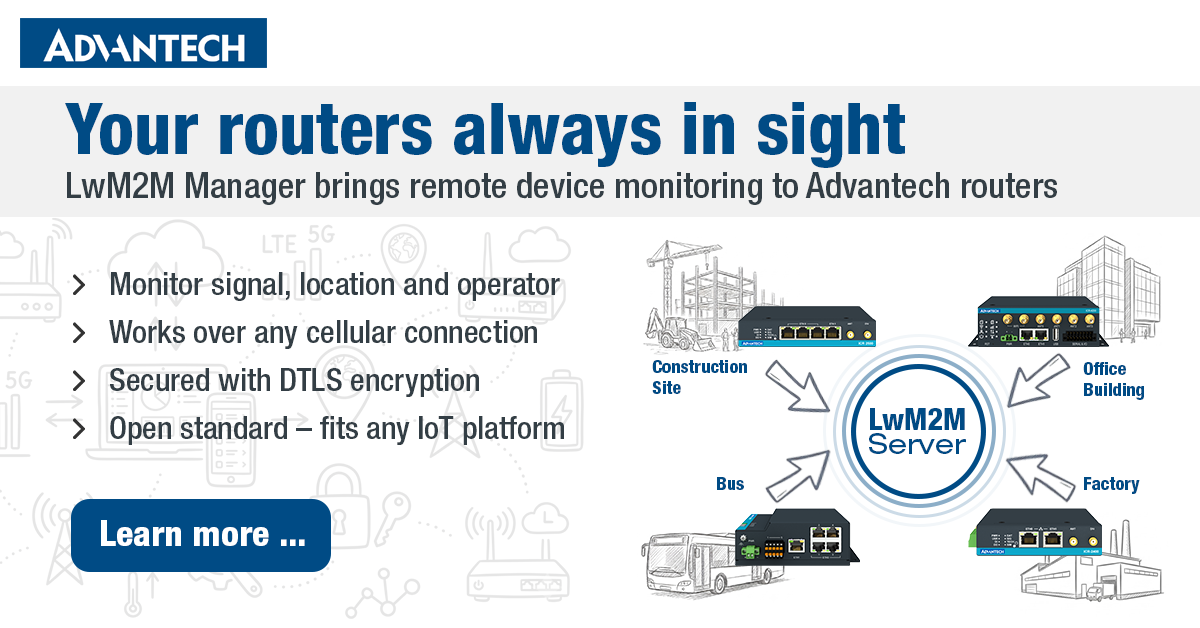
Imagine you have dozens, maybe hundreds of cellular routers deployed in the field - at remote industrial sites, in vehicles, in buildings. You need to monitor each one, occasionally change its configuration, check its signal strength, or find out where it is. How do you do that without driving out to every location or building a custom management platform from scratch? That's exactly the problem LwM2M Manager solves - a RouterApp for Advantech cellular routers.
What is LwM2M?
LwM2M stands for Lightweight Machine-to-Machine – a standardised protocol developed by the OMA (Open Mobile Alliance) specifically for remote management of IoT devices. The word "lightweight" is key: the protocol is designed to work on resource-constrained devices and over cellular networks where every kilobyte of data has a cost.
Unlike general-purpose protocols or proprietary solutions, LwM2M defines a clear, interoperable model for reading data from a device, writing to its configuration, and triggering remote operations - all from a central server. And because it is an open standard, it works with a wide range of existing IoT platforms and device management servers out of the box.
What problem does it actually solve?
Advantech ICR routers are deployed in many different roles - as industrial gateways, as connectivity for remote machinery, or as backup links for enterprise networks. What they all have in common is this: they end up in places that are difficult or impossible to reach physically.
Yet the network administrator still needs to know things like:
- Is the device online and healthy?
- What cellular technology is it using (LTE, 5G NR), and how strong is the signal?
- Where is the device physically located?
- What firmware version is running on it?
Without the right tool, the options are either logging into each device manually on a regular basis, or building a bespoke monitoring infrastructure from the ground up. LwM2M Manager offers a third way: the router registers itself with your LwM2M server and continuously reports its status. The server can then monitor, store, and react to that data - all without any direct intervention on the router itself.
How does it work in practice?
Once installed and enabled, the RouterApp acts as an LwM2M client: the router registers with the configured LwM2M server and maintains a live connection. Every 30 seconds it sends a keepalive update, which also keeps NAT mappings open - meaning the server can reach the device at any time, even without the router having a public IP address.
Communication runs over CoAP/UDP, which is significantly more efficient for cellular networks than conventional HTTP. If you want the connection to be secured (and in most deployments you should), the RouterApp supports DTLS encryption - either with a Pre-Shared Key (PSK) or X.509 certificates.
What does the server see?
The router automatically provides the server with core device information: manufacturer, model, serial number, and firmware version. Two additional data sources can be enabled optionally:
Location (GNSS) – if the router has a GPS/GNSS module, it reports the current geographic position to the server. This is useful for vehicle applications or tracking field equipment.
Mobile WAN status – signal strength, operator name, network technology (LTE, NR), IMEI, and SIM card ICCID. This data is often the most practical for diagnostics: you can immediately see why a device is slow or why it has switched to a fallback operator.
Two ways to connect to the server
The RouterApp supports two deployment models to cover different operational scenarios:
Direct registration – the LwM2M server address and credentials are pre-configured on the device. This is the right choice when you configure routers upfront before deploying them to a specific project.
Bootstrap – the router first connects to a bootstrap server, which then provisions the actual LwM2M server address and credentials. This model enables zero-touch provisioning: routers can be shipped and installed without any prior configuration, and the bootstrap server takes care of the rest automatically.
Security
LwM2M Manager supports three security levels:
- No encryption (plain CoAP) – suitable only for testing in an isolated network
- PSK (Pre-Shared Key) – simpler setup; both sides share a secret key
- X.509 certificates – full PKI-based mutual authentication, appropriate for deployments with higher security requirements
When should you use it?
LwM2M Manager is a good fit when you:
- Manage a larger number of routers across multiple sites and need a centralised view of their status
- Want to integrate routers into an existing IoT platform or device management system that supports LwM2M
- Deploy devices in scenarios where physical access to the router is impractical or too costly
- Need to monitor cellular connection quality at remote sites without having to log into each device individually
Availability
LwM2M Manager is a RouterApp for Advantech ICR routers. It is not included in the standard router firmware - it is installed separately through the Router Apps section of the router's web interface. All configuration is done through a GUI built into the router, with no need to edit configuration files manually.